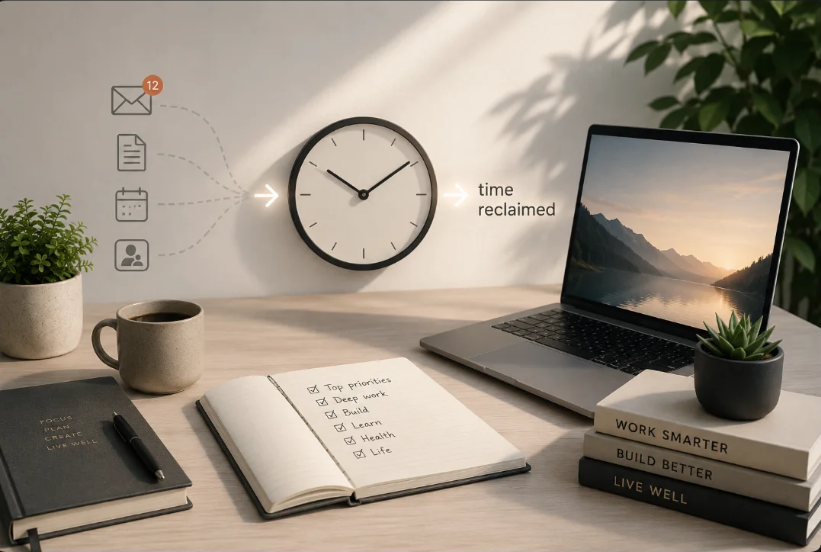
AI won’t give you more hours in the day. But used well, it can help you stop wasting the ones you already have.
Learning how to use AI to save 10 hours a week isn’t about finding one miraculous productivity trick.
Yet somehow, many of us have never felt busier.
Emails multiply. Meetings create more meetings. Documents need summarising. Ideas need researching. Plans need organising. And somewhere between responding, reviewing, searching and organising, the work that genuinely deserves our attention gets squeezed into whatever time remains.
Artificial intelligence won’t magically solve that problem.
But used intelligently, it can remove some of the repetitive work that quietly consumes our time and attention.
There is growing evidence that those savings can be meaningful. A large field experiment involving 7,137 knowledge workers across 66 firms found that workers who actively used an AI assistant spent around two fewer hours per week on email during the latter half of the experiment. National Bureau of Economic Research
Another study involving 5,179 customer-support agents found that access to a generative AI assistant increased productivity by an average of 14%, with considerably larger gains among less experienced workers. National Bureau of Economic Research
And Microsoft’s 2024 Work Trend Index, based partly on a survey of 31,000 people across 31 countries, found that its most frequent AI users reported saving more than 30 minutes a day. Microsoft Work Trend Index
None of that means AI will automatically save you ten hours every week.
It won’t.
Think of ten hours as a target rather than a guarantee—one that may become achievable when several small improvements are combined across your working week.
The question isn’t:
“How much can AI do for me?”
A better question is:
“What am I spending time doing that doesn’t actually require me?”
That’s where the opportunity begins.
Before You Start: Don’t Try to Automate Your Life
You don’t need to become an AI expert.
You don’t need twenty different AI tools.
And you certainly don’t need to automate every minute of your day.
If you can explain what you need clearly, review the result critically and improve your instructions when necessary, you already possess the foundations of an extremely useful AI skill.
The H² approach is simple:
Use AI to remove friction—not responsibility.
Let AI help with repetitive work, first drafts, organisation, summarisation and exploration.
Keep human judgement for the things that deserve it.
How to Use AI to Save 10 Hours a Week
Ten hours sounds ambitious until you stop looking for one enormous time-saving trick.
The more realistic approach is accumulation.
| Activity | Illustrative weekly saving |
|---|---|
| Email drafting and summarising | 2 hours |
| Meetings and meeting notes | 1.5 hours |
| Research and summarisation | 1.5 hours |
| Writing first drafts | 2 hours |
| Planning and organisation | 1 hour |
| Brainstorming and problem-solving | 1 hour |
| Repetitive administration | 1 hour |
| Potential total | 10 hours |
These figures are illustrations, not research findings or promises. Your results will depend on what you do, how much repetitive work your week contains and how effectively you use AI.
But the principle matters:
You don’t need one spectacular automation that saves ten hours.
You need several small improvements that compound.
Twelve minutes here. Twenty-five minutes there. Forty minutes on something you normally dread doing.
Individually, they don’t feel revolutionary.
By Friday afternoon, they might.
1. Stop Starting From Scratch
The blank page is one of the most underestimated productivity drains.
You know roughly what you want to say, but spend ten minutes deciding how to begin.
AI is particularly useful here because it can move you from nothing to something.
Suppose you receive an email requiring a thoughtful response.
Normally, you might read it, think about the response, start writing, rewrite the opening, change the tone and eventually send it.
Instead, give AI the context:
Try this:
“Draft a friendly but professional reply to the message below. I need to decline the meeting because of an existing commitment, but I’d like to suggest Tuesday afternoon or Thursday morning instead. Keep it concise.”
Now you’re editing rather than starting.
That’s an important distinction.
AI doesn’t need to replace your writing.
It can simply remove the hardest first 20%.
H² Quick Tip
Don’t ask:
“Write me an email.”
Tell AI:
Who it’s for.
Why you’re writing.
What needs to be included.
What tone you want.
What should happen next.
Better context usually produces a better result.
2. Let AI Handle the Routine
A surprising amount of work isn’t difficult.
It’s repetitive.
Consider how often you:
- summarise information;
- reformat notes;
- turn conversations into actions;
- rewrite material for another audience;
- create agendas;
- organise scattered thoughts;
- extract important information from documents.
These tasks require attention.
They don’t necessarily require all of your attention.
Example: Meeting Notes
Imagine you’ve finished a 45-minute meeting with several pages of rough notes.
Instead of manually converting them into minutes:
Try this:
“Turn these notes into a concise meeting summary. Separate the output into Decisions Made, Action Items, Owner, Deadline and Questions Still Open. Do not invent missing information. Mark anything unclear as ‘To confirm’.”
That last instruction matters.
The objective isn’t simply speed.
It’s useful speed.
AI handles the organisation. You check the result, correct mistakes and make the decisions.
3. Use AI as a Thinking Partner
Some of the most valuable uses of AI don’t involve getting it to write anything for you.
They involve helping you think.
Imagine you’re considering a new idea.
Instead of asking:
“Is this a good idea?”
try:
“Act as a constructive critic. Identify the five weakest assumptions behind this idea. For each one, tell me what evidence I would need before proceeding.”
You’ve changed the relationship completely.
You’re not outsourcing the decision.
You’re strengthening your thinking before making it.
AI can help you:
- generate alternative approaches;
- identify assumptions;
- explore counterarguments;
- compare options;
- structure messy ideas;
- identify questions you haven’t considered;
- explain unfamiliar concepts.
Another useful prompt is:
“I’m considering the following decision: [describe it]. Don’t make the decision for me. Identify the key factors I should consider, three risks I may be underestimating and three questions I should answer before deciding.”
That’s the kind of AI use worth developing.
AI should expand your thinking, not replace it.
4. Give AI the Repetitive Work
Some of the best uses of AI are the tasks that consume time without requirig much judgement.
Organising notes. Writing follow-up emails. Producing weekly summaries. Categorising information. Turning messy material into something usable.
These are good places to start, because AI can do much of the first pass while you remain responsible for the result.
AI can help draft replies, shorten messages, summarise long threads, extract actions and adjust tone.
Meetings
AI-enabled tools can help summarise transcripts, identify decisions, extract actions, prepare follow-up messages and create agendas.
Research
Suppose you have three lengthy documents to review.
Try:
“Compare these three documents. Identify where they agree, where they disagree, the strongest evidence presented by each and five questions requiring further investigation.”
AI gives you a map.
You still need to inspect the territory.
Check important claims against the original sources, especially when the consequences of getting them wrong are significant.
Planning
AI can also help organise weekly priorities, projects, study plans, travel research, learning goals and personal projects.
Here’s a useful habit:
The Repetition Test: Whenever you hear yourself thinking, “I have to do this again,” ask: “Could AI complete the first 80% of this?”
Not necessarily 100%.
The final 20% may be where your judgement matters most.
5. Avoid the Biggest AI Mistakes
Saving twenty minutes isn’t useful if you spend an hour fixing the consequences.
AI works best with guardrails.
Mistake 1: Confusing Confidence with Accuracy
Generative AI can produce inaccurate information while sounding completely confident.
Important factual claims should therefore be verified.
And the higher the stakes, the higher your standard of verification should be.
Health, financial, legal, employment and safety decisions deserve particular care.
AI-generated confidence is not evidence.
Mistake 2: Giving AI Too Little Context
Compare:
“Tell me about productivity.”
with:
“My working day is fragmented by email and meetings, which makes focused work difficult. Suggest three changes I could test this week. Prioritise options that don’t require buying additional software.”
Context changes the answer.
Mistake 3: Sharing Information You Shouldn’t
Don’t paste confidential or sensitive information into an AI system unless you know you’re permitted to share it and understand how that service handles your data.
Be particularly cautious with personal data, customer records, financial information, medical information, passwords, confidential workplace documents and proprietary information.
If you’re using AI professionally, understand both your organisation’s policies and the privacy arrangements of the particular service you’re using. The UK’s Information Commissioner’s Office specifically emphasises risk management, fairness, lawfulness and transparency where AI systems process personal data. ICO
Mistake 4: Outsourcing Important Decisions
Use AI to generate options.
Use it to challenge assumptions.
Use it to organise evidence.
But don’t confuse assistance with accountability.
The decision remains yours.
Mistake 5: Treating the First Answer as the Final Answer
Good AI use is a conversation.
Try:
“What’s weak about your previous answer?”
Then:
“Improve it.”
And:
“What important perspective have we missed?”
The first response doesn’t have to be the finished product.
6. Build Your Own AI Workflow
Occasional AI use produces occasional benefits.
A workflow creates repeatable ones.
Morning: Decide
Give AI your tasks and constraints:
“These are my tasks today: [list]. I have [X] hours available. Help me identify the three highest-priority tasks. Explain the factors you used to prioritise them and suggest a realistic order.”
You’re not surrendering control of your day.
You’re asking for another perspective before deciding.
During the Day: Assist
Before beginning repetitive work, ask:
“Could AI help me with the first draft, organisation or analysis?”
This simple behaviour appears to distinguish heavier AI users from occasional ones. Microsoft’s Work Trend Index found its AI “power users” were more likely to pause before tasks and consider whether AI could help, experiment with prompts and persist when the first response wasn’t satisfactory. Microsoft
End of Day: Review
Try:
“Here are my notes from today. Summarise what was completed, what remains outstanding and the three priorities I should consider tomorrow.”
Five minutes of organisation today can prevent twenty minutes of confusion tomorrow.
The H² Prompt Toolkit
A good prompt is worth saving.
Don’t reinvent it every Monday.
Here are eight adaptable prompts worth keeping.
1. Summarise
“Summarise the material below into five key points. Separate facts, opinions and anything that requires verification.”
2. Improve My Writing
“Rewrite this for clarity without changing its meaning. Remove unnecessary jargon and repetition. Then briefly explain the most important changes you made.”
3. Challenge My Thinking
“Challenge my reasoning rather than agreeing with me. Identify my assumptions, give me the strongest counterargument, and tell me what evidence would make me reconsider my conclusion.”
4. Turn a Meeting Into Action
“Extract the decisions, actions, owners and deadlines from these notes. Do not infer information that isn’t explicitly stated.”
5. Generate Better Ideas
“Generate ten approaches to [problem]. Avoid obvious variations of the same idea. Then rank the three most promising according to practicality, potential impact and difficulty.”
6. Learn Something
“Explain [topic] to a beginner using plain English and one useful analogy. Then test my understanding with five questions. Don’t reveal the answers until I’ve attempted them.”
7. Find My Next High-Impact Task
“Here are the things currently competing for my attention: [list]. Ask me any questions you need, then identify one high-impact task I could realistically complete next and explain why.”
8. Improve My Prompt
This is perhaps the most useful one of all:
“Review the prompt below before answering it. Identify anything unclear, missing or likely to produce a weak answer. Rewrite it into a stronger prompt and briefly explain what you changed. If important information is missing, ask me for it before proceeding.”
That last technique is particularly powerful because you’re using AI not just to complete a task, but to help you become better at instructing AI.
Your prompt library should evolve with you.
The H² 7-Day AI Challenge
Don’t finish this guide by downloading twelve new AI apps.
Spend seven days getting more value from what you already have.
Day 1 — Find the Friction: Write down the repetitive tasks consuming your time. Don’t automate anything yet. Observe.
Day 2 — Choose One: Pick one low-risk, repetitive task and test AI on it.
Day 3 — Improve the Prompt: Add context, constraints and a clear definition of what a good result looks like.
Day 4 — Use AI to Think: Bring it a problem rather than a writing task. Ask it to challenge your assumptions.
Day 5 — Save What Works: Turn your most useful instruction into your first reusable prompt.
Day 6 — Measure It: Compare the AI-assisted version with your normal approach. Did it genuinely save time? Was the result as good or better? Did it reduce effort—or simply move the work somewhere else?
Day 7 — Keep, Improve or Delete: Decide whether the workflow deserves a permanent place in your routine.
A tool that doesn’t improve your life doesn’t deserve a permanent place in it.
Do Your Own 10-Hour Audit
If you want to reclaim ten hours, don’t guess.
Measure.
For one week, keep a simple record:
| Task | Normal Time | AI-Assisted Time | Time Saved | Quality |
|---|---|---|---|---|
| 30 min | 10 min | 20 min | Same / better / worse | |
| Meeting notes | 25 min | 5 min | 20 min | Same / better / worse |
| Research | 60 min | 35 min | 25 min | Same / better / worse |
At the end of the week, add the genuine savings—counting only tasks where the quality was acceptable and AI actually reduced the work.
Now you have something considerably more useful than somebody else’s productivity claim:
your own evidence.
Saved two hours?
Excellent.
Improve the system.
Saved five?
You’re halfway there.
And if you eventually reach ten, you’ll know exactly where those hours came from.
One Last Thing: Don’t Fill the Time You’ve Just Saved
Suppose AI eventually saves you five hours every week.
What are you going to do with them?
If the answer is simply:
“Five more hours of work,”
you’ve improved efficiency without necessarily improving your life.
H² takes a broader view: productivity should give you more choice over how you use your time.
Reclaimed time could go towards focused creative work, learning something new, building something of your own, exercise, family, friends, rest—or simply having enough space to think.
And sometimes, you don’t need to optimise that time at all.
Technology should create choices.
That’s where Work Smarter connects with Live Well.
Conclusion
Artificial intelligence isn’t here to replace your intelligence.
It’s here to remove some of the repetitive work that gets in the way of it.
The greatest value of AI isn’t the individual tasks it can complete for you.
It’s what you can do with the time and attention you get back.
The people who benefit most from AI won’t necessarily be the most technical.
They’ll be the people who learn how to combine human judgement, curiosity, creativity and experience with intelligent tools.
You don’t need to transform the way you work overnight.
Start with one task.
Save a little time.
Build a better system.
Then repeat.
Because productivity isn’t about squeezing more work into every available minute.
Sometimes working smarter means creating enough space to stop working.
That’s part of living well too.
Work Smarter. Build Better. Live Well.